Website Speed Optimization Guide for Framer Websites

by
Mathew Smith
•
Website Speed Optimization Guide for Framer Websites
by
Mathew Smith
•
A slow loading website can quietly push visitors away before they even see your product. Every extra second creates friction, especially when someone arrives from a search, an ad, or a social media campaign.
Website speed also affects conversions, search visibility, and how professional your brand feels. A polished website that takes too long to load can quickly lose the trust it was designed to build.
That is why Framer website speed optimization should be part of your regular website maintenance, not something you think about only after performance drops. Effective Framer website speed optimization can often come down to fixing a few common issues, such as oversized images, unnecessary fonts, scripts, and heavy animations.
This guide provides a practical approach to optimizing Framer website speed, from identifying the problem to making targeted improvements.
Quick Answer: How Do You Optimize a Framer Website for Speed?
Start by compressing and resizing images before uploading them. Limit custom fonts, font weights, and third party scripts. Reduce heavy animations and effects, especially above the fold. Use Framer's built in optimization options and check your published version regularly with tools such as Google PageSpeed Insights and Lighthouse. Test your website on real mobile devices as well as desktop. Focus on the biggest performance issues first instead of trying to optimize every element at once.
Why Does Website Speed Matter for Framer Websites?
Visitors have limited patience for slow websites. If the page takes too long to become usable, users may leave before seeing your headline, product, services, or call to action. For businesses relying on their website for leads or sales, that lost attention can become lost revenue.
Speed Affects Conversions and Search Visibility
A fast page makes it easier for visitors to browse, understand your offer, and take action without unnecessary friction, which is the same principle behind conversion focused Framer development. Search visibility is another reason to care about performance, Google considers page experience signals, including Core Web Vitals, when evaluating websites.
Speed Affects Brand Perception
A fast, polished website feels more reliable and professional. A page that constantly stalls or shifts while loading can create the opposite impression, undermining the same credibility your design is trying to build.
Common Reasons Framer Websites Load Slowly
Most slow Framer websites do not have one mysterious performance problem. They usually have several small issues adding up.
Large, uncompressed images are one of the most common causes. Uploading a full size camera image when a much smaller file would work can add unnecessary weight to a page. Too many custom fonts and font weights can also increase loading requirements.
Third party embeds are another common problem. Chat widgets, forms, video players, analytics tools, and other external scripts can add resources that your page needs to load. Heavy scroll animations and visual effects can create additional work, particularly on mobile devices.
It is also important to test the actual published version of your website rather than relying only on the editor preview. For more detail on the specific settings involved, see our guide to optimizing a Framer website for Core Web Vitals.
How to Check Your Framer Website Speed?
Start with Google PageSpeed Insights. It provides performance scores and identifies specific opportunities for improvement. Lighthouse is another useful option for analyzing performance, accessibility, SEO, and other page experience factors.
You should also review your Framer Site Settings and Versions panel to make sure you are testing the current published version. Do not rely entirely on desktop testing. A website that feels instant on a powerful computer connected to fast WiFi can behave very differently on an average smartphone using cellular data.
Test important pages on real mobile devices. Also test multiple pages rather than checking only the homepage. A blog, landing page, or CMS driven page may have very different performance characteristics.
Image Optimization for Faster Framer Websites
Images are often the easiest performance issue to fix.
Upload Images at the Right Resolution
Start by uploading images at the resolution you actually need. A large camera image may be several megabytes even though the displayed image only occupies a fraction of that size. Avoid using oversized hero images whenever possible, your hero section is often one of the first things visitors need to load, so unnecessarily large assets can delay the initial experience.
Use Auto Resolution and Lazy Loading
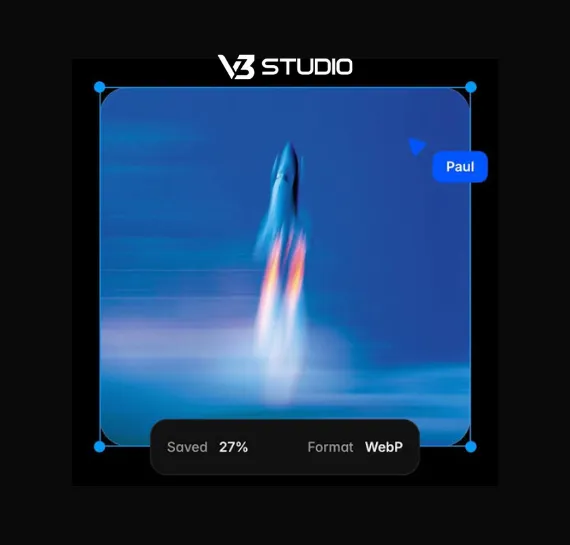
Framer can automatically optimize images when you use its appropriate resolution settings. Using Auto Resolution allows Framer to handle responsive image delivery and formats such as WebP where appropriate. You should also avoid adding multiple large images above the fold, and for content further down the page, lazy loading can prevent every image from loading immediately. The goal is simple, deliver the right image at the right size rather than sending every visitor unnecessarily large files.
Font and Script Optimization Tips
Fonts can have a bigger performance impact than many teams expect.
Limiting Font Families and Weights
Start by limiting the number of font families you use. Using several families with multiple weights creates more resources for the browser to load. Only include the weights your design actually needs. Where possible, use Google Fonts or carefully optimized local font files. If you are using older custom font files, re uploading them in WOFF2 format can improve compatibility and loading efficiency.
Auditing Third Party Scripts
Third party scripts deserve the same attention. Review every chat widget, analytics tool, form, tracking script, and external embed on your website. If you no longer use something, remove it. When custom scripts are necessary, loading them with appropriate attributes such as async or defer can help prevent them from blocking the initial page rendering. Do not add a script simply because it might be useful later.
Optimizing Animations Without Hurting Speed
Animations can make a Framer website feel polished and interactive, but too many effects can hurt performance, especially near the top of the page.
Instead of using heavy scroll based effects everywhere, consider simpler Appear effects for important sections. These can create movement without adding unnecessary complexity. Be careful with blur, large shadows, and multiple simultaneous transitions, visually impressive effects can require more processing, particularly on lower powered phones.
You do not need to remove animation completely, the goal is to use it intentionally. Test animation heavy pages on mobile devices and pay attention to scrolling, section transitions, and the initial page load. If an effect does not improve the user experience, removing it may be the simplest optimization.
CMS and Content Structure for Better Performance
A clean Framer project is easier to manage and optimize. Review your CMS collections and templates regularly. Remove content structures you no longer need and avoid creating unnecessary components for simple elements.
Unused layers, components, interactions, and design elements can make projects harder to maintain, and the same principle applies to CMS templates. If every page contains unnecessary sections or components, the website can become harder to optimize as content grows. This matters most on CMS heavy builds, on the Dr. Raja hair transplant clinic site, results cards, before and after sliders, and timeline sections were all tied to CMS fields across a large, enterprise style structure, which made planning the field structure properly at setup essential to keeping the project manageable as content was added.
A clean structure also makes publishing more efficient. When your team understands which components are reusable and which are page specific, it becomes easier to make performance improvements consistently. You do not need to simplify your website until it becomes basic, instead, remove elements that do not contribute to the user experience, conversion goal, or content strategy.
Mobile Speed Optimization Tips
A website can perform well on desktop and still feel slow on mobile. Mobile devices often have less processing power than desktop computers, and users may also access your website through slower or less stable cellular connections. That makes mobile testing essential.
Open your website on real phones and test important pages using cellular data rather than relying only on WiFi. Pay attention to large hero sections, animations, videos, interactive elements, and third party widgets. JavaScript heavy elements can be particularly demanding on lower powered devices, if a feature does not provide meaningful value on mobile, consider simplifying or removing it.
Your goal is not to make the mobile website identical to the desktop experience. It is to make sure mobile visitors can quickly see the important content and interact with the page without unnecessary delays.
Framer Website Speed Optimization Checklist
Use this quick checklist when reviewing your website:
Compress and resize large images.
Use Auto resolution where appropriate.
Avoid oversized hero images.
Limit font families and weights.
Use optimized WOFF2 font files.
Remove unused third party scripts.
Review chat and form embeds.
Reduce heavy animations above the fold.
Keep blur and shadow effects under control.
Review unnecessary CMS components.
Check the current optimized version in Site Settings.
Test important pages with PageSpeed Insights.
Test regularly on real mobile devices.
Our Recommendation for Founders and Marketers
Website speed should be treated as an ongoing practice rather than a one time fix. As your website grows, you will add new images, campaigns, forms, analytics tools, animations, and content, and each addition can introduce another potential performance issue.
The good news is that most Framer performance problems are not complicated. They often come from the same repeated mistakes, oversized images, too many fonts, unnecessary embeds, and excessive visual effects. Start with the largest problems instead of trying to optimize everything at once. Check your most important pages first, identify what is slowing them down, make targeted changes, and test again.
For founders and marketers, this approach is usually more practical than constantly chasing a perfect score. If you are unsure where your Framer website is losing performance, a speed audit can help identify the highest impact fixes and give your team a clear optimization plan. You can see the range of complex, CMS heavy builds we have shipped in our portfolio.
Frequently Asked Questions
How Do I Fix Slow Loading Speed on My Framer Site?
Start with the biggest weight first, oversized images, unused fonts, and third party scripts, then reduce heavy animations above the fold. Test the published version, not the editor preview, in PageSpeed Insights or Lighthouse, and fix whatever it flags as the largest opportunity first.
Why Is My Framer Website Loading Slowly on Mobile?
Mobile devices have less processing power and often run on slower cellular connections, so large images, animations, videos, and third party scripts hit harder there than on desktop. Test your most important pages on a real phone using cellular data, not just WiFi.
Does Image Size Affect Framer Website Speed?
Yes, large uncompressed image files are one of the most common causes of a slow Framer site. A full size camera photo can be several megabytes even when it only displays at a fraction of that size, so resize images and use Framer's Auto resolution setting.
How Can I Check My Framer Site's Page Speed Score?
Run Google PageSpeed Insights or Lighthouse against your published URL, not the Framer editor preview, since the live version is what visitors actually experience. Test more than the homepage too, a blog post or CMS driven page can score very differently.
Do Animations Slow Down Framer Websites?
They can, especially heavy scroll effects, blur, large shadows, and several simultaneous transitions stacked near the top of the page. This hits mobile devices hardest since they have less processing power, so test animation heavy sections on a real phone.
Can Third Party Embeds Slow Down a Framer Website?
Yes, chat widgets, forms, video players, analytics tools, and other external scripts each add their own loading requests on top of your page. Review every embed on your site periodically and remove anything you are no longer actively using or testing.
How Do I Reduce Font Loading Time in Framer?
Limit the number of font families and only include the specific weights your design actually uses, since each additional weight is a separate file the browser has to load. Re upload older custom fonts in WOFF2 format and stick to optimized Google Fonts.
Is a Fast Framer Website Better for SEO?
Speed helps, since Google factors Core Web Vitals and page experience into how it evaluates your site, and our guide to Framer SEO settings covers this in more depth. That said, speed alone will not carry rankings on its own, content quality and technical structure still matter just as much.
Conclusion
A fast Framer website does not require removing every animation or simplifying your entire design. The better approach is to identify the elements creating the most performance overhead and optimize them first.
Start with images, fonts, scripts, animations, and mobile performance. Test the published website regularly and make improvements as your content and marketing needs change. For founders and marketers, speed is part of maintaining a professional and conversion focused website. If your Framer website is slower than expected, the problem is usually fixable with the right approach.
Want to improve your Framer website performance? Talk to V3 about your speed goals and get a clear plan for what to fix first.
A slow loading website can quietly push visitors away before they even see your product. Every extra second creates friction, especially when someone arrives from a search, an ad, or a social media campaign.
Website speed also affects conversions, search visibility, and how professional your brand feels. A polished website that takes too long to load can quickly lose the trust it was designed to build.
That is why Framer website speed optimization should be part of your regular website maintenance, not something you think about only after performance drops. Effective Framer website speed optimization can often come down to fixing a few common issues, such as oversized images, unnecessary fonts, scripts, and heavy animations.
This guide provides a practical approach to optimizing Framer website speed, from identifying the problem to making targeted improvements.
Quick Answer: How Do You Optimize a Framer Website for Speed?
Start by compressing and resizing images before uploading them. Limit custom fonts, font weights, and third party scripts. Reduce heavy animations and effects, especially above the fold. Use Framer's built in optimization options and check your published version regularly with tools such as Google PageSpeed Insights and Lighthouse. Test your website on real mobile devices as well as desktop. Focus on the biggest performance issues first instead of trying to optimize every element at once.
Why Does Website Speed Matter for Framer Websites?
Visitors have limited patience for slow websites. If the page takes too long to become usable, users may leave before seeing your headline, product, services, or call to action. For businesses relying on their website for leads or sales, that lost attention can become lost revenue.
Speed Affects Conversions and Search Visibility
A fast page makes it easier for visitors to browse, understand your offer, and take action without unnecessary friction, which is the same principle behind conversion focused Framer development. Search visibility is another reason to care about performance, Google considers page experience signals, including Core Web Vitals, when evaluating websites.
Speed Affects Brand Perception
A fast, polished website feels more reliable and professional. A page that constantly stalls or shifts while loading can create the opposite impression, undermining the same credibility your design is trying to build.
Common Reasons Framer Websites Load Slowly
Most slow Framer websites do not have one mysterious performance problem. They usually have several small issues adding up.
Large, uncompressed images are one of the most common causes. Uploading a full size camera image when a much smaller file would work can add unnecessary weight to a page. Too many custom fonts and font weights can also increase loading requirements.
Third party embeds are another common problem. Chat widgets, forms, video players, analytics tools, and other external scripts can add resources that your page needs to load. Heavy scroll animations and visual effects can create additional work, particularly on mobile devices.
It is also important to test the actual published version of your website rather than relying only on the editor preview. For more detail on the specific settings involved, see our guide to optimizing a Framer website for Core Web Vitals.
How to Check Your Framer Website Speed?
Start with Google PageSpeed Insights. It provides performance scores and identifies specific opportunities for improvement. Lighthouse is another useful option for analyzing performance, accessibility, SEO, and other page experience factors.
You should also review your Framer Site Settings and Versions panel to make sure you are testing the current published version. Do not rely entirely on desktop testing. A website that feels instant on a powerful computer connected to fast WiFi can behave very differently on an average smartphone using cellular data.
Test important pages on real mobile devices. Also test multiple pages rather than checking only the homepage. A blog, landing page, or CMS driven page may have very different performance characteristics.
Image Optimization for Faster Framer Websites
Images are often the easiest performance issue to fix.
Upload Images at the Right Resolution
Start by uploading images at the resolution you actually need. A large camera image may be several megabytes even though the displayed image only occupies a fraction of that size. Avoid using oversized hero images whenever possible, your hero section is often one of the first things visitors need to load, so unnecessarily large assets can delay the initial experience.
Use Auto Resolution and Lazy Loading
Framer can automatically optimize images when you use its appropriate resolution settings. Using Auto Resolution allows Framer to handle responsive image delivery and formats such as WebP where appropriate. You should also avoid adding multiple large images above the fold, and for content further down the page, lazy loading can prevent every image from loading immediately. The goal is simple, deliver the right image at the right size rather than sending every visitor unnecessarily large files.
Font and Script Optimization Tips
Fonts can have a bigger performance impact than many teams expect.
Limiting Font Families and Weights
Start by limiting the number of font families you use. Using several families with multiple weights creates more resources for the browser to load. Only include the weights your design actually needs. Where possible, use Google Fonts or carefully optimized local font files. If you are using older custom font files, re uploading them in WOFF2 format can improve compatibility and loading efficiency.
Auditing Third Party Scripts
Third party scripts deserve the same attention. Review every chat widget, analytics tool, form, tracking script, and external embed on your website. If you no longer use something, remove it. When custom scripts are necessary, loading them with appropriate attributes such as async or defer can help prevent them from blocking the initial page rendering. Do not add a script simply because it might be useful later.
Optimizing Animations Without Hurting Speed
Animations can make a Framer website feel polished and interactive, but too many effects can hurt performance, especially near the top of the page.
Instead of using heavy scroll based effects everywhere, consider simpler Appear effects for important sections. These can create movement without adding unnecessary complexity. Be careful with blur, large shadows, and multiple simultaneous transitions, visually impressive effects can require more processing, particularly on lower powered phones.
You do not need to remove animation completely, the goal is to use it intentionally. Test animation heavy pages on mobile devices and pay attention to scrolling, section transitions, and the initial page load. If an effect does not improve the user experience, removing it may be the simplest optimization.
CMS and Content Structure for Better Performance
A clean Framer project is easier to manage and optimize. Review your CMS collections and templates regularly. Remove content structures you no longer need and avoid creating unnecessary components for simple elements.
Unused layers, components, interactions, and design elements can make projects harder to maintain, and the same principle applies to CMS templates. If every page contains unnecessary sections or components, the website can become harder to optimize as content grows. This matters most on CMS heavy builds, on the Dr. Raja hair transplant clinic site, results cards, before and after sliders, and timeline sections were all tied to CMS fields across a large, enterprise style structure, which made planning the field structure properly at setup essential to keeping the project manageable as content was added.
A clean structure also makes publishing more efficient. When your team understands which components are reusable and which are page specific, it becomes easier to make performance improvements consistently. You do not need to simplify your website until it becomes basic, instead, remove elements that do not contribute to the user experience, conversion goal, or content strategy.
Mobile Speed Optimization Tips
A website can perform well on desktop and still feel slow on mobile. Mobile devices often have less processing power than desktop computers, and users may also access your website through slower or less stable cellular connections. That makes mobile testing essential.
Open your website on real phones and test important pages using cellular data rather than relying only on WiFi. Pay attention to large hero sections, animations, videos, interactive elements, and third party widgets. JavaScript heavy elements can be particularly demanding on lower powered devices, if a feature does not provide meaningful value on mobile, consider simplifying or removing it.
Your goal is not to make the mobile website identical to the desktop experience. It is to make sure mobile visitors can quickly see the important content and interact with the page without unnecessary delays.
Framer Website Speed Optimization Checklist
Use this quick checklist when reviewing your website:
Compress and resize large images.
Use Auto resolution where appropriate.
Avoid oversized hero images.
Limit font families and weights.
Use optimized WOFF2 font files.
Remove unused third party scripts.
Review chat and form embeds.
Reduce heavy animations above the fold.
Keep blur and shadow effects under control.
Review unnecessary CMS components.
Check the current optimized version in Site Settings.
Test important pages with PageSpeed Insights.
Test regularly on real mobile devices.
Our Recommendation for Founders and Marketers
Website speed should be treated as an ongoing practice rather than a one time fix. As your website grows, you will add new images, campaigns, forms, analytics tools, animations, and content, and each addition can introduce another potential performance issue.
The good news is that most Framer performance problems are not complicated. They often come from the same repeated mistakes, oversized images, too many fonts, unnecessary embeds, and excessive visual effects. Start with the largest problems instead of trying to optimize everything at once. Check your most important pages first, identify what is slowing them down, make targeted changes, and test again.
For founders and marketers, this approach is usually more practical than constantly chasing a perfect score. If you are unsure where your Framer website is losing performance, a speed audit can help identify the highest impact fixes and give your team a clear optimization plan. You can see the range of complex, CMS heavy builds we have shipped in our portfolio.
Frequently Asked Questions
How Do I Fix Slow Loading Speed on My Framer Site?
Start with the biggest weight first, oversized images, unused fonts, and third party scripts, then reduce heavy animations above the fold. Test the published version, not the editor preview, in PageSpeed Insights or Lighthouse, and fix whatever it flags as the largest opportunity first.
Why Is My Framer Website Loading Slowly on Mobile?
Mobile devices have less processing power and often run on slower cellular connections, so large images, animations, videos, and third party scripts hit harder there than on desktop. Test your most important pages on a real phone using cellular data, not just WiFi.
Does Image Size Affect Framer Website Speed?
Yes, large uncompressed image files are one of the most common causes of a slow Framer site. A full size camera photo can be several megabytes even when it only displays at a fraction of that size, so resize images and use Framer's Auto resolution setting.
How Can I Check My Framer Site's Page Speed Score?
Run Google PageSpeed Insights or Lighthouse against your published URL, not the Framer editor preview, since the live version is what visitors actually experience. Test more than the homepage too, a blog post or CMS driven page can score very differently.
Do Animations Slow Down Framer Websites?
They can, especially heavy scroll effects, blur, large shadows, and several simultaneous transitions stacked near the top of the page. This hits mobile devices hardest since they have less processing power, so test animation heavy sections on a real phone.
Can Third Party Embeds Slow Down a Framer Website?
Yes, chat widgets, forms, video players, analytics tools, and other external scripts each add their own loading requests on top of your page. Review every embed on your site periodically and remove anything you are no longer actively using or testing.
How Do I Reduce Font Loading Time in Framer?
Limit the number of font families and only include the specific weights your design actually uses, since each additional weight is a separate file the browser has to load. Re upload older custom fonts in WOFF2 format and stick to optimized Google Fonts.
Is a Fast Framer Website Better for SEO?
Speed helps, since Google factors Core Web Vitals and page experience into how it evaluates your site, and our guide to Framer SEO settings covers this in more depth. That said, speed alone will not carry rankings on its own, content quality and technical structure still matter just as much.
Conclusion
A fast Framer website does not require removing every animation or simplifying your entire design. The better approach is to identify the elements creating the most performance overhead and optimize them first.
Start with images, fonts, scripts, animations, and mobile performance. Test the published website regularly and make improvements as your content and marketing needs change. For founders and marketers, speed is part of maintaining a professional and conversion focused website. If your Framer website is slower than expected, the problem is usually fixable with the right approach.
Want to improve your Framer website performance? Talk to V3 about your speed goals and get a clear plan for what to fix first.

Share this article
Share this article

© 2026 V3 Digital Solutions LLC. All rights reserved


© 2026 V3 Digital Solutions LLC. All rights reserved
© 2026 V3 Digital Solutions LLC. All rights reserved
© 2026 V3 Digital Solutions LLC. All rights reserved